
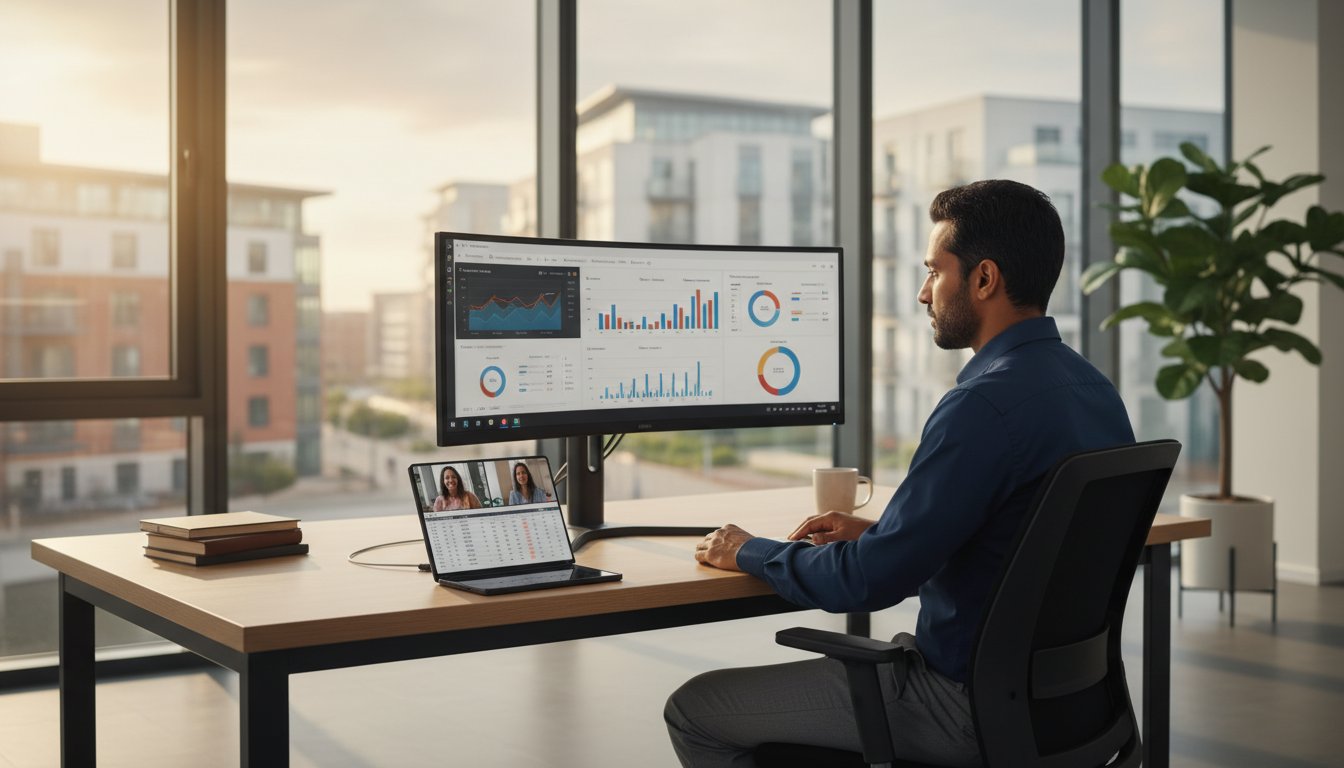
What if your mobile workforce could carry the power of a full desktop workstation in their pocket without compromising on security or durability? Many UK decision makers hesitate to adopt foldable technology because 55% of IT leaders cited device security as their top mobile concern in a 2024 industry report. It’s natural to feel that a larger screen means a larger risk, or that the z fold 5 might be too delicate for the daily rigours of professional life in Hampshire and beyond.
We understand that you want your team to stay productive without the headache of managing multiple gadgets or worrying about data breaches. You can transform the z fold 5 into a secure, high-performance mobile workstation that genuinely supports your business goals. This guide provides a clear framework for securing foldable devices and explains how to achieve total peace of mind for your remote workers. We’ll show you how to blend strategic IT management with hardware that actually stands up to the demands of a busy professional environment, ensuring your team remains connected and your data stays protected.
Key Takeaways
- Learn how to bridge the gap between mobile and desktop work with a hybrid device designed for the modern flexible workforce.
- Discover how to customise your workflow using the z fold 5 to run multiple applications at once, ensuring your team stays productive without switching devices.
- Explore how Samsung DeX can reduce your hardware costs by allowing a single mobile device to power a complete workstation setup.
- Secure your business data with professional-grade hardware protection and managed mobile device strategies that offer total peace of mind.
- Gain a strategic advantage by integrating managed IT support to ensure your mobile fleet remains updated, secure, and fully operational.
The Samsung Galaxy Z Fold 5: A New Era for Professional Mobile Productivity
The z fold 5 represents a fundamental shift in how Hampshire businesses approach mobile hardware. It’s no longer accurate to categorise this device as just a phone; it functions as a hybrid mobile workstation. For the modern flexible workforce, this technology bridges the gap between a pocket-sized handset and a full-scale tablet, providing the tools necessary to maintain high output levels outside of a traditional office environment.
Samsung’s 7.6-inch internal display acts as a catalyst for efficiency. This expansive screen real estate allows professionals to view 50-row spreadsheets or complex legal documents without the constant zooming and scrolling required on standard devices. It transforms a quick mobile check into a deep-work session, allowing for meaningful edits and data analysis while on a train or between client meetings.
The corporate sector is currently moving away from traditional smartphones in favour of foldable technology. In 2023, foldable phone shipments increased by 25% globally, a trend that has solidified as we move through 2026. This transition reflects a growing need for hardware that supports multi-tasking rather than just basic communication. Decision-makers now recognise that providing the right tools is essential for employee retention and operational speed.
At HJS Technology, we operate under a “Business First, Technology Second” philosophy. We don’t recommend the latest hardware simply because it’s new; we evaluate it based on its ability to solve specific operational challenges. If you’re looking to optimise your team’s mobile strategy, we provide the strategic guidance to ensure your investment delivers a clear return through improved uptime and user satisfaction.
Key Specifications for the Business User
The performance of the z fold 5 is anchored by the Snapdragon 8 Gen 2 processor. This chip is designed for high-intensity multi-tasking, allowing users to run three applications simultaneously without lag. When reviewing the Samsung Galaxy Z Fold 5 specifications, the emphasis on efficiency is clear. The 120Hz refresh rate provides smooth scrolling that reduces eye strain during long working hours, while the Gorilla Glass Victus 2 offers the durability required for professionals who are constantly on the move.
The Foldable Advantage in Remote Working
Remote work requires tools that adapt to various environments. The larger screen makes Microsoft Teams calls significantly more effective, as users can view a shared presentation and the video feeds of participants at the same time. Flex Mode allows the device to sit at a 90-degree angle on any flat surface, enabling hands-free meetings without the need for a separate stand or tripod. For field-based employees, the foldable design is far superior to standard smartphones for viewing technical blueprints or managing large inventory databases, ensuring they have all the information they need right in their hands.
Maximising Efficiency: Multi-tasking and Microsoft 365 Integration
Business leaders require tools that adapt to their pace, rather than slowing them down with technical limitations. The z fold 5 addresses this by providing a 7.6-inch internal display that functions like a portable workstation. You can run up to three applications simultaneously using the Multi-Window feature. This means a manager can participate in a video call, review a budget, and respond to an urgent message without ever closing an app. This capability eliminates the friction of switching between windows, allowing for a more fluid and focused work experience.
The Taskbar at the bottom of the screen mirrors a desktop environment, allowing for instant switching between your most-used tools. This layout provides a sense of familiarity and control that is often missing from mobile devices. While you work across these various applications, the platform maintains government-grade security, protecting your sensitive business data at every layer. This proactive approach to safety ensures that productivity never compromises your company’s digital integrity.
Microsoft 365 and Copilot on the Move
The suite of Microsoft 365 for Business apps is specifically tailored for the Fold’s unique screen. This optimisation allows for a much more productive experience than standard smartphones. By integrating Microsoft 365 Copilot, you can quickly summarise lengthy email chains or generate draft reports while commuting. The synchronisation between the z fold 5 and your office desktop is seamless; any changes made on the train are reflected instantly on your workstation. This continuity provides the peace of mind that your data is always current and accessible to the whole team.
The S Pen: A Tool for Modern Documentation
The S Pen Fold Edition transforms the device into a precise tool for document management. It allows you to mark up PDFs and annotate architectural drawings or contracts with extreme accuracy. The handwriting-to-text feature is particularly useful during client consultations, as it converts handwritten notes into digital text for easy sharing. This ensures that the details of every meeting are captured and filed without delay.
Adopting this digital-first workflow significantly reduces the reliance on traditional office hardware. By handling signatures and annotations digitally, businesses can lower their usage of photocopiers, printers, and scanners. This not only saves on consumables but also streamlines the entire administrative process. If you want to see how these tools can fit into your specific business model, you can contact our Hampshire-based team for a bespoke consultation. We focus on providing the right technology to help your business thrive.
The z fold 5 standardises mobile workflows by providing a consistent, high-performance interface that empowers every team member to work effectively from any location.
Samsung DeX: Transforming Your Phone into a Desktop Experience
Samsung DeX bridges the gap between mobile flexibility and desktop power by allowing your z fold 5 to serve as the primary engine for a full workstation. This software platform goes far beyond simple screen mirroring; it reconfigures the Android interface into a windowed, desktop-like environment complete with a taskbar, desktop icons, and right-click functionality. For business owners, this represents a strategic opportunity to consolidate hardware. By utilising one device for both mobile and office tasks, companies can significantly reduce capital expenditure. A 2023 study indicated that equipping a new employee with a mid-range laptop and a smartphone can cost upwards of £1,200, whereas a DeX-based setup focuses that investment into a single, high-performance handset.
The hardware requirements for this transition are minimal and cost-effective. To create a wired workstation, you simply need a USB-C to HDMI adapter or a compatible docking station. For those who prefer a cable-free environment, wireless DeX connects directly to Miracast-enabled smart monitors or televisions. Once you add a Bluetooth keyboard and mouse, the z fold 5 functions as a legitimate laptop replacement for light-to-medium business users who spend their time in web browsers, document editors, and CRM platforms. A review by Forbes highlighted the Z Fold5 for productivity as a versatile tool that masters these multi-tasking demands with ease.
Creating a Seamless Desktop Environment
Setting up your workspace is an intuitive process. When you connect the phone to a monitor, the DeX interface launches automatically, providing a familiar landscape for anyone used to Windows or macOS. Performance remains fluid even when running virtualised desktops (VDI) like Citrix or Azure Virtual Desktop, which allows staff to access legacy Windows applications securely. A major advantage is that the phone continues to function independently; you can take a video call on the device screen while simultaneously editing a spreadsheet on the large monitor.
Workstation Mobility for Hybrid Teams
For hybrid teams across Hampshire, DeX offers a proactive solution to the friction of modern travel. Employees can move between the office, their home setup, and client sites without carrying a heavy laptop bag. This setup ensures total business continuity because all files, credentials, and apps reside on one secure device protected by Samsung Knox. IT departments also benefit from reduced maintenance, as there are fewer physical machines to patch, update, and repair. If you want to explore how this hardware consolidation could benefit your specific team, you can reach out to us via our contact page for a bespoke consultation. Our goal is to provide the peace of mind that comes from a simplified, secure, and highly efficient IT infrastructure.
Securing the Foldable Fleet: Cybersecurity and MDM
Mobile devices aren’t just accessories anymore; they’re the primary workstations for your team. When your staff carries a high-performance device like the z fold 5, they’re carrying the keys to your entire corporate network. Protecting these endpoints requires more than a simple passcode. Cyber Security is a fundamental necessity in a mobile-first business model to ensure that digital assets remain protected while your team stays productive. According to the UK Government’s Cyber Security Breaches Survey 2024, 70% of medium sized businesses identified a breach or attack in the last 12 months, highlighting the need for a proactive approach.
Samsung Knox provides a foundation that starts at the hardware level. It isn’t just software; it’s a security suite built into the chip itself. This integration allows for sophisticated Mobile Device Management (MDM) solutions that give business owners total control. If a device is lost or stolen, your IT partner can perform a remote wipe instantly. This capability ensures that sensitive client data never falls into the wrong hands, providing the peace of mind you need to focus on growth.
Protecting Corporate Data with Knox
Samsung Knox uses a multi-layered architecture to shield your business information from the moment the device powers on. The “Secure Folder” feature is particularly valuable for the modern workforce. It creates a private, encrypted space on the z fold 5 to isolate business applications and files from personal data on the same device. This separation maintains privacy for the employee and security for the employer. Real-time kernel protection monitors the device constantly, blocking malicious attempts to alter the core operating system and preventing malware from gaining a foothold.
Implementing Multi-Factor Authentication (MFA)
Reliable Multi-Factor Authentication is a non-negotiable requirement for modern business access. The Z Fold 5 simplifies this with advanced biometric sensors, including a side-mounted fingerprint reader and facial recognition. These tools ensure that only authorised personnel can unlock the device or access specific corporate apps. MFA provides a vital safety net; even if a physical device is compromised or a password is guessed, the secondary biometric layer prevents unauthorised entry into your business systems. It’s a simple step that offers a high level of protection against sophisticated digital threats.
If you’re looking to secure your mobile workforce with a bespoke strategy, contact our expert team at HJS Technology today for a professional consultation.
Strategic Hardware Procurement and Managed IT Support
Investing in high-end hardware like the z fold 5 is a significant commitment for any Hampshire business. It’s about more than just the device; it’s about how that technology integrates into your daily operations to drive growth. Partnering with a managed service provider (MSP) transforms procurement from a simple transaction into a strategic advantage. We act as a steady hand, ensuring your mobile fleet is configured correctly from day one. This proactive approach removes the technical friction that often slows down busy teams.
Our lifecycle management covers every stage of the device’s journey. We handle the initial setup, ongoing security patches, and eventually, the secure disposal of hardware. According to the Cyber Security Breaches Survey 2024, 50% of UK businesses experienced a cyber attack in the last year. This makes secure, compliant disposal essential for protecting your intellectual property. We provide the peace of mind that comes with 24/7 monitoring, catching potential issues before they disrupt your workflow. You won’t have to worry about downtime or hardware failures; we’ve got it covered.
Bespoke Mobile Solutions for SMBs
Every industry has its own set of rules. We customise device configurations to meet your specific compliance needs, whether you’re in legal, finance, or construction. Our status as an ISO 27001 certified partner means we adhere to the highest international standards for data integrity. You can trust that your sensitive information is handled with care. We offer a fixed-fee managed support model, which makes your IT budgeting predictable and transparent. There are no hidden surprises, just reliable support that scales with your organisation. We focus on your business goals first, using technology as the tool to reach them.
Getting Started with Your Mobile Strategy
The first step toward a more productive team is a thorough audit of your current mobile fleet. We’ll help you identify which devices are lagging and where the z fold 5 can provide the most value. Integrating these powerful handsets into your existing Managed IT Support framework ensures a seamless transition for your staff. Don’t leave your mobile rollout to chance. Expert consultation prevents costly mistakes and ensures your team hits the ground running. We’re a local team dedicated to the success of Hampshire businesses, and we’re ready to help you modernise.
Ready to modernise your mobile fleet? Contact HJS Technology for expert guidance.
Future-Proofing Your Mobile Workforce
Adopting the z fold 5 represents a strategic shift toward a more agile business model. By integrating Microsoft 365 directly into a foldable interface, your team gains the ability to manage complex spreadsheets and document reviews without needing a laptop. Samsung DeX further extends this utility; it allows a seamless transition from mobile use to a full desktop environment when you’re back at your desk.
Technology only delivers value when it’s reliable and secure. HJS Technology provides the proactive partnership needed to manage these advanced devices effectively. As an ISO 27001 certified provider, we ensure your information security meets the highest international standards. Our team offers 24/7 system monitoring to prevent downtime, combined with deep expertise in cloud integration to keep your operations running smoothly.
You don’t have to navigate these hardware and security choices alone. We’re here to help you align your mobile fleet with your long-term business goals. Book a Strategic IT Consultation with HJS Technology today to secure your peace of mind. We look forward to supporting your team’s success.
Frequently Asked Questions
Is the Samsung Galaxy Z Fold 5 durable enough for business use?
The Samsung Galaxy Z Fold 5 is built to handle the rigours of a standard working day. It features an IPX8 water resistance rating and Gorilla Glass Victus 2 on the outer displays for improved scratch protection. Samsung tested the hinge to withstand 200,000 folds, which equates to over 100 folds per day for five years. This durability ensures your investment remains operational throughout a typical three year hardware refresh cycle.
Can the Z Fold 5 really replace my business laptop?
The z fold 5 can replace a laptop for many mobile professionals, particularly those who travel frequently for UK based meetings. Its 7.6 inch internal screen provides enough space for complex spreadsheets and document editing. While it might not replace a high performance workstation for video editing, it serves as a powerful primary device for 85% of standard office tasks when paired with a portable keyboard.
How do I secure a Z Fold 5 for a corporate environment?
You secure the device using Samsung Knox, which is a defence grade security platform integrated into the hardware. It protects sensitive corporate data from the moment the device powers on. We recommend implementing biometric authentication and encrypted folders to ensure compliance with UK GDPR standards. This proactive approach prevents unauthorised access to your business files if the handset is lost or stolen.
Does the Z Fold 5 support Microsoft 365 and Teams effectively?
Microsoft 365 and Teams are fully optimised for the unique aspect ratio of the z fold 5. You can participate in a video call on the top half of the screen while taking notes or reviewing a PowerPoint presentation on the bottom half. This seamless integration allows your team to stay productive without switching between multiple devices during a busy workday. It makes multitasking feel natural rather than forced.
What is Samsung DeX and how does it benefit business users?
Samsung DeX is a software platform that transforms your foldable phone into a desktop computing experience. You connect the device to a monitor, keyboard, and mouse to work in a familiar windowed interface. This benefits business users by eliminating the need for a separate desktop PC in the office. It creates a flexible workspace where your phone acts as the central hub for all professional activity and document management.
Is the S Pen included with the Samsung Galaxy Z Fold 5?
The S Pen is not included in the box with the device and must be purchased separately. Samsung offers a specific S Pen Fold Edition designed to be safe for the flexible internal display. Many business owners find this tool essential for signing digital contracts or annotating PDF documents during site visits. It’s a strategic investment for those who prefer handwritten notes over typing on a glass screen.
How does Mobile Device Management (MDM) work with foldable phones?
Mobile Device Management works seamlessly with foldable phones through platforms like Samsung Knox Manage or Microsoft Intune. These tools allow your IT partner to remotely deploy security patches, manage app permissions, and wipe data if a device goes missing. Because the hardware follows standard Android Enterprise protocols, it integrates into your existing fleet management system without requiring bespoke software configurations or additional overhead.
Can I use two SIM cards for business and personal use on the Z Fold 5?
You can use two separate phone numbers on the device by utilising one physical Nano-SIM and one electronic SIM (eSIM). This setup allows you to keep business and personal communications entirely separate on a single handset. It’s an ideal solution for professionals who want to maintain a healthy work life balance while reducing the cost of carrying and charging two different physical devices.