

A customer calls the office while the person best placed to help is working from home, and nobody is sure who should answer. A business telecoms system should connect how your team handles calls, uses mobiles and gets online, rather than leaving each service as a separate decision.
Hosted phones, Teams Phone, mobile services and internet connectivity can seem like competing options, but each serves a different purpose. HJS Technology provides business phone support and hosted calling options, alongside Teams Phone and business mobile services, to help organisations plan around how their teams work.
This guide explains the main parts of a system, what to consider for office, hybrid and mobile teams, and how to plan a change without losing sight of customer calls and everyday workflows. It also covers the UK’s move away from traditional phone lines, with the Public Switched Telephone Network (PSTN) switch-off deadline set for 31 January 2027.
In short: A business telecoms system brings together the phone services, mobile options and internet connectivity your organisation needs to handle calls and support staff wherever they work. Choose the right arrangement by mapping how customers contact you, how calls should be handled and what connectivity is available at your premises.
Key Takeaways
- Review your arrangements when missed calls, changing work patterns or separate services make communication harder to manage.
- Map who handles calls, where staff work and which employees need mobile access before choosing features or handsets.
- Start with essential call-handling needs, then decide which services fit your organisation.
- Compare Teams Phone, hosted VoIP and business mobile options, including services that bring several UK networks onto one bill.
When does a business telecoms system need an upgrade?
Review your system when it no longer supports how staff and customers communicate. Missed calls, changed working patterns or separate phone and mobile arrangements that are difficult to manage can all signal that your setup needs attention.
That does not mean replacing a system just to add features. A small organisation with a straightforward call process may have no reason to change. The useful test is whether the current setup still meets day-to-day needs and supports the way customers expect to reach you.
What signs show that your current setup no longer fits?
Look at three areas: call handling, staff locations and the effort required to manage your services. For example, a receptionist may struggle to direct callers whilst colleagues split their time between the office and home, or staff may rely on workarounds to stay reachable.
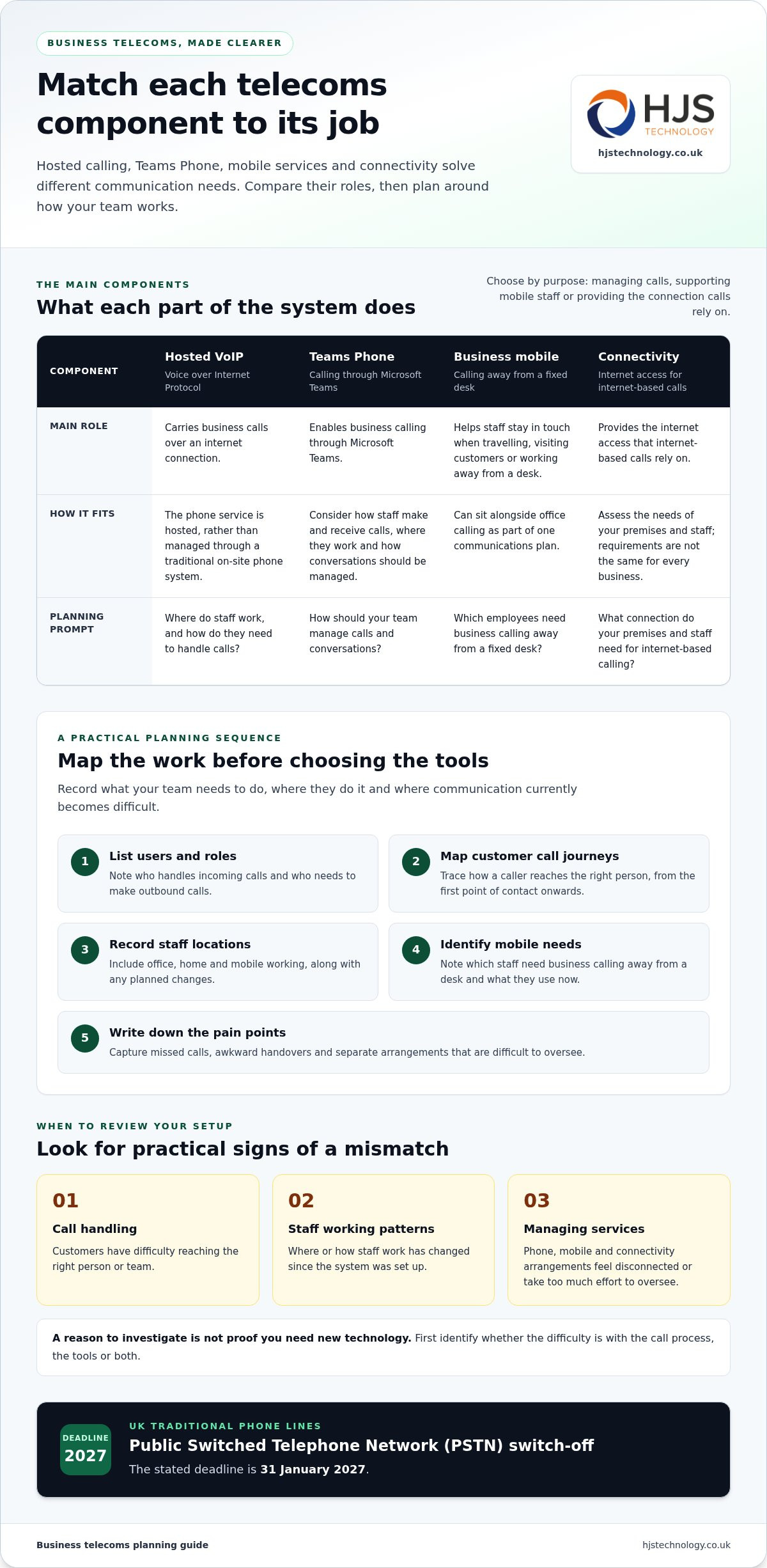
- Customers have difficulty reaching the right person or team.
- Staff locations or working patterns have changed since the system was set up.
- Phone, mobile and connectivity arrangements feel disconnected or take too much effort to oversee.
These are reasons to investigate, not proof that you need new technology. Review how your business phone arrangements work in practice to identify whether the problem lies with the call process, the tools or both.
How can you review the need without overcomplicating it?
List the communication problems you want to solve before comparing systems or handsets. Focus on practical outcomes: can customers reach the right people, can staff manage calls from their usual locations, and is the setup straightforward to oversee?
Ask staff who handle customer calls where delays or awkward workarounds occur. Then separate essential requirements from optional features. This gives you a sound basis for deciding whether to retain, adjust or replace parts of the system, without starting with technical specifications.
When call handling, staff working patterns or service management no longer match your organisation’s needs, review the telecoms system.
What does a business telecoms system include?
A business telecoms system combines the services and tools an organisation uses to manage calls and the connectivity that supports them. It can include hosted calling, Teams Phone, business mobile services and internet connectivity, selected to suit how the organisation works.
Hosted VoIP (Voice over Internet Protocol) carries calls over an internet connection instead of a traditional phone line. Teams Phone enables business calling through Microsoft Teams, while mobile services support staff who need to communicate away from a fixed desk. Connectivity provides the internet access that internet-based calls rely on.
How do hosted VoIP and Teams Phone fit into business calling?
Hosted VoIP delivers business calling over an internet connection, with the phone service hosted rather than managed through a traditional on-site phone system. Teams Phone provides calling through Microsoft Teams. To compare them, consider how staff make and receive calls, where they work and how your organisation wants to manage conversations. For more detail on internet-based calling, read this guide to business phone systems.
Why consider business mobile and connectivity alongside calling?
Mobile services help staff stay in touch when travelling, visiting customers or working away from a fixed desk. They can sit alongside office calling as part of one communications plan, rather than being managed as an unrelated service.
Connectivity matters because internet-based calls depend on an internet connection. Consider the needs of your premises and staff rather than assuming every business requires the same connection or service level. Reviewing phone services and business connectivity together helps show how each part needs to work with the others.
Match each component to a practical purpose: handling customer calls, supporting mobile staff or providing the connection for internet-based calling. To discuss how those needs fit together, talk with HJS Technology about your telecoms requirements.
How do you plan a business telecoms system around your team?
Plan a business telecoms system by documenting how people communicate before choosing technology. Set out essential call-handling needs, then map users, call journeys, locations, mobile requirements and current problems.
Which communication needs should you map first?
Separate requirements by role. Reception staff may need to direct callers; customer-facing employees may need to make and receive calls away from the office; office-based colleagues may handle calls from a fixed desk. Record how callers reach the right person and what each group needs to answer, transfer or manage calls.
- List users and roles: note who handles incoming calls and who needs to make outbound calls.
- Map call journeys: trace how a customer reaches the right person, from the first point of contact onwards.
- Record locations: include office, home and mobile working, along with any planned changes.
- Identify mobile needs: note which staff need business calling away from a desk and what they use now.
- Write down pain points: capture missed calls, awkward handovers or separate arrangements that are difficult to oversee.
What should you consider before changing a system?
Agree which call-handling tasks are essential before selecting features or handsets. Then make an inventory of current contracts, phone numbers, handsets and internet connectivity. Note renewal dates and consider when a change could be planned to suit staff and customer contact. For more detail on VoIP options, see this guide to business VoIP systems.
Include existing numbers in the discussion, but do not assume they can be transferred in a particular way or on a particular timetable. Plan any number transfer alongside the services that rely on the existing connection.
Understand needs, map requirements, then plan the system. This order keeps the decision grounded in how your team and customers communicate.
How can HJS Technology support your business telecoms system?
HJS Technology helps businesses plan calling and mobile services around how their people work and how customers get in touch. Options include Teams Phone, hosted VoIP, business mobile services and the latest handsets, shaped around your organisation’s requirements.
Based in Southampton, HJS Technology supports businesses across Hampshire, Dorset and the wider South Coast. This includes organisations in Southampton, Portsmouth, Winchester, Eastleigh, Fareham, Poole, Salisbury, Wiltshire and Bournemouth. Planning office calls and mobile use together helps connect the needs of staff working at different locations.
What can HJS Technology tailor to your organisation?
Start with the needs you have mapped: who answers incoming calls, how staff work across locations and which employees need business mobile services. These details guide the choice between Teams Phone and hosted VoIP, alongside mobile options and handsets suited to staff requirements.
Business mobile services can bring O2, Vodafone, EE and Three onto one bill, with flexible contracts available. This can help organisations reviewing how they manage mobile services across their teams. Include mobile requirements in your wider telecoms planning.
What is a useful next step for a South Coast business?
Describe who uses the system, where they work and which communication challenges you want to address. Include how customer calls are handled, which staff need mobile access and what arrangements you are reviewing. This gives the discussion a practical starting point and helps shape a system around your organisation’s needs.
Make your next telecoms decision with confidence
Give the review a clear owner within your organisation. They can coordinate decisions, gather feedback from staff who use the phones and keep customer priorities in view. If you are planning a change, note which decisions are ready and which depend on contract dates, number arrangements or connectivity information.
This preparation gives you a practical starting point: what the organisation expects from its calls, how staff will use the chosen services and what needs careful handling during a change. You do not need to settle every technical detail before beginning. Set out your business priorities and use them to guide each decision. A business telecoms system should fit how your organisation works, not make the team adapt to technology for its own sake.
To take the next step, contact HJS Technology to discuss your business telecoms requirements.
Frequently Asked Questions
Can we keep our existing business phone numbers when changing systems?
Sometimes, but keeping an existing business number is not automatic. Whether a number can be transferred, and how the process works, depends on the number, service and circumstances of the change. List every number customers use, including direct lines, and include them early in planning so transfer requirements can be considered.
What happens to business calls if the internet connection goes down?
Internet-based calls may be affected if the connection goes down, depending on the system’s configuration and any alternative arrangements. Do not assume calls will automatically divert or continue uninterrupted. Include continuity requirements in your planning, such as which calls are most important and what other ways customers and staff could use to communicate.
Can staff use business phone services on their mobiles?
Yes. Staff can use business mobile services on handsets, while some internet-based calling arrangements may also support calls away from a desk, depending on how the service is configured. These are different approaches: a mobile service provides business mobile calling, whereas internet-based calling relies on a suitable connection. The best fit depends on how your organisation wants staff to make and receive work calls.
How much does a business telecoms system cost?
There is no single cost because the scope depends on what your organisation needs. The number of users, calling services, mobile requirements, handsets and connectivity all affect what is included. A team using desk phones may have different requirements from one with staff regularly working away from the office. Discuss your users and priorities to establish the right scope for your business telecoms system.
Is a business telecoms system only for large organisations?
No. Small and medium-sized businesses can plan communications around their users, customer contact and working patterns. A small team based in Fareham may have different call-handling needs from a larger organisation with several locations. Start with essential tasks and staff workflows, then consider which services are relevant. There is no single arrangement that suits every organisation.